
Setup Guides
Choose your device below to view easy step-by-step instructions.
Get started in less than 5 minutes.
For Samsung, LG, and other devices, you may choose a compatible paid player. Player fees are not included with your subscription.
Android TV
Fire TV · Smart TVs · TV Boxes
Android Mobile
Phones · Tablets
Samsung / LG / Roku
Tizen · webOS · Roku OS
Apple / iOS
iPhone · iPad · Apple TV
PC / Mac
Windows · macOS
MAG / Portal
MAG Devices
Ibo Player Pro
Paid Player · Multi-Device
7 Player Setup for Android TV
Compatible with most Android TV, Google TV, Fire TV, and Android TV boxes.
Installation Guide (Official)
Get “Downloader” App
Open the app store on your device, search for Downloader (orange icon), and install it.
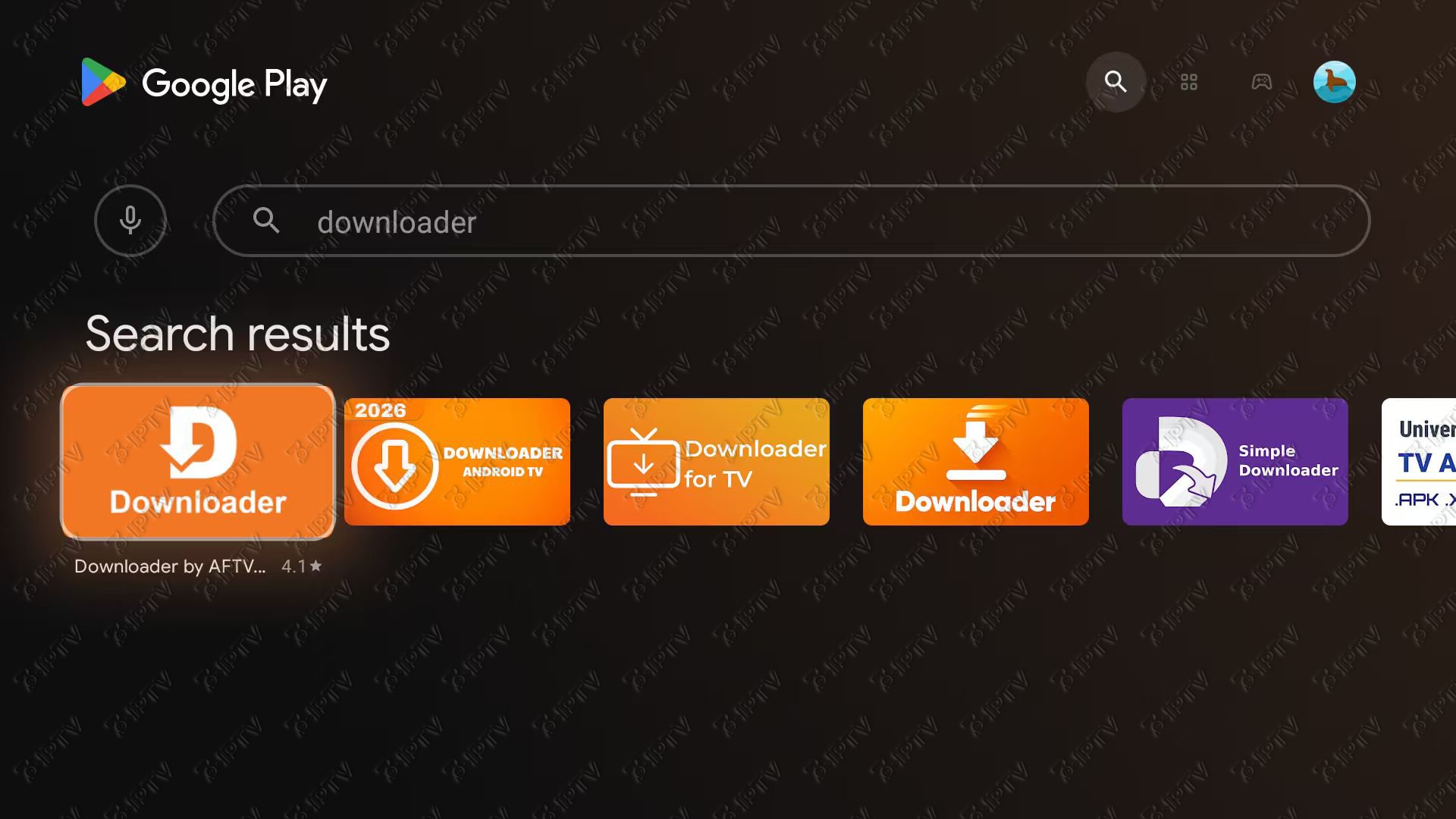
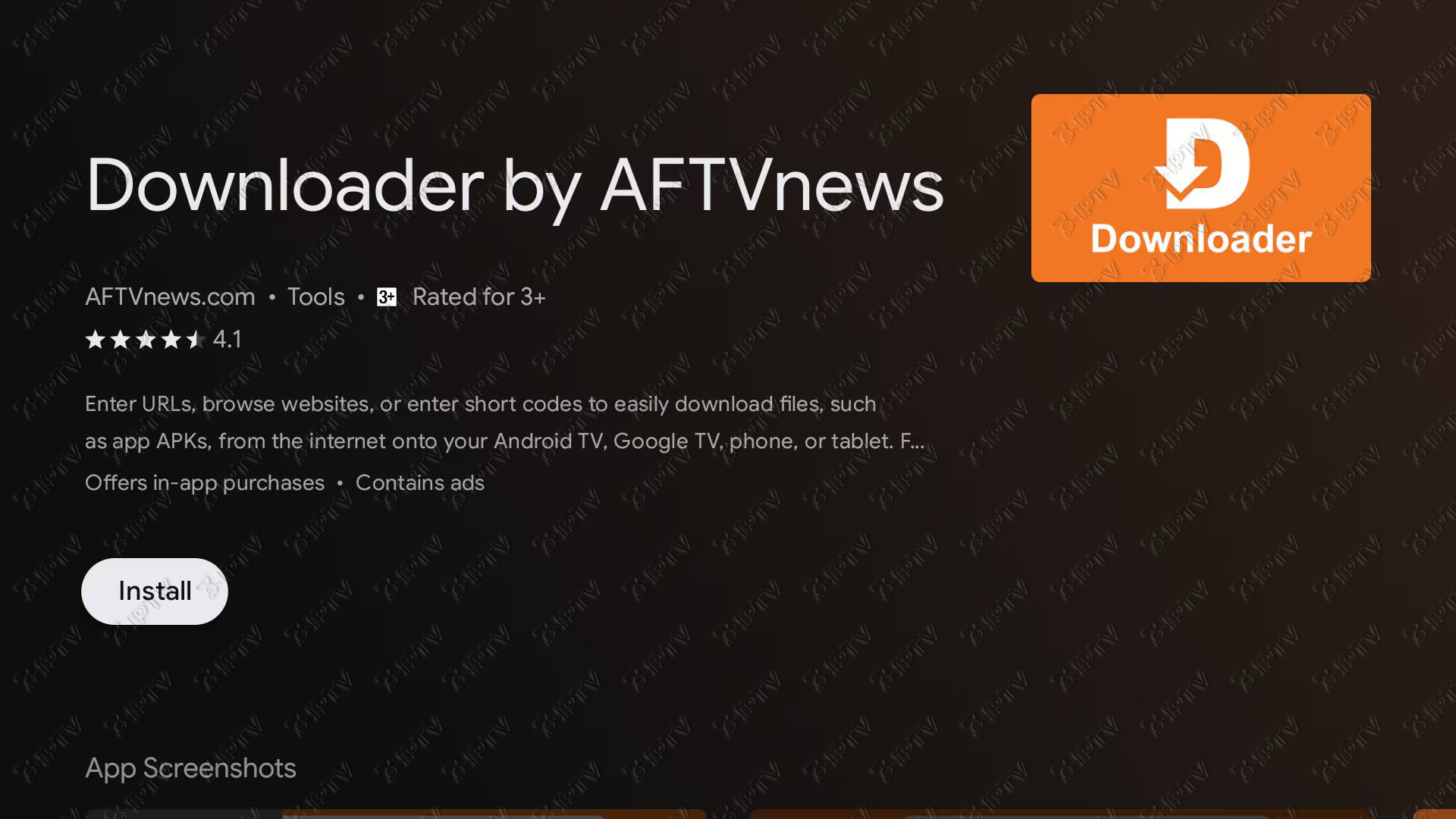
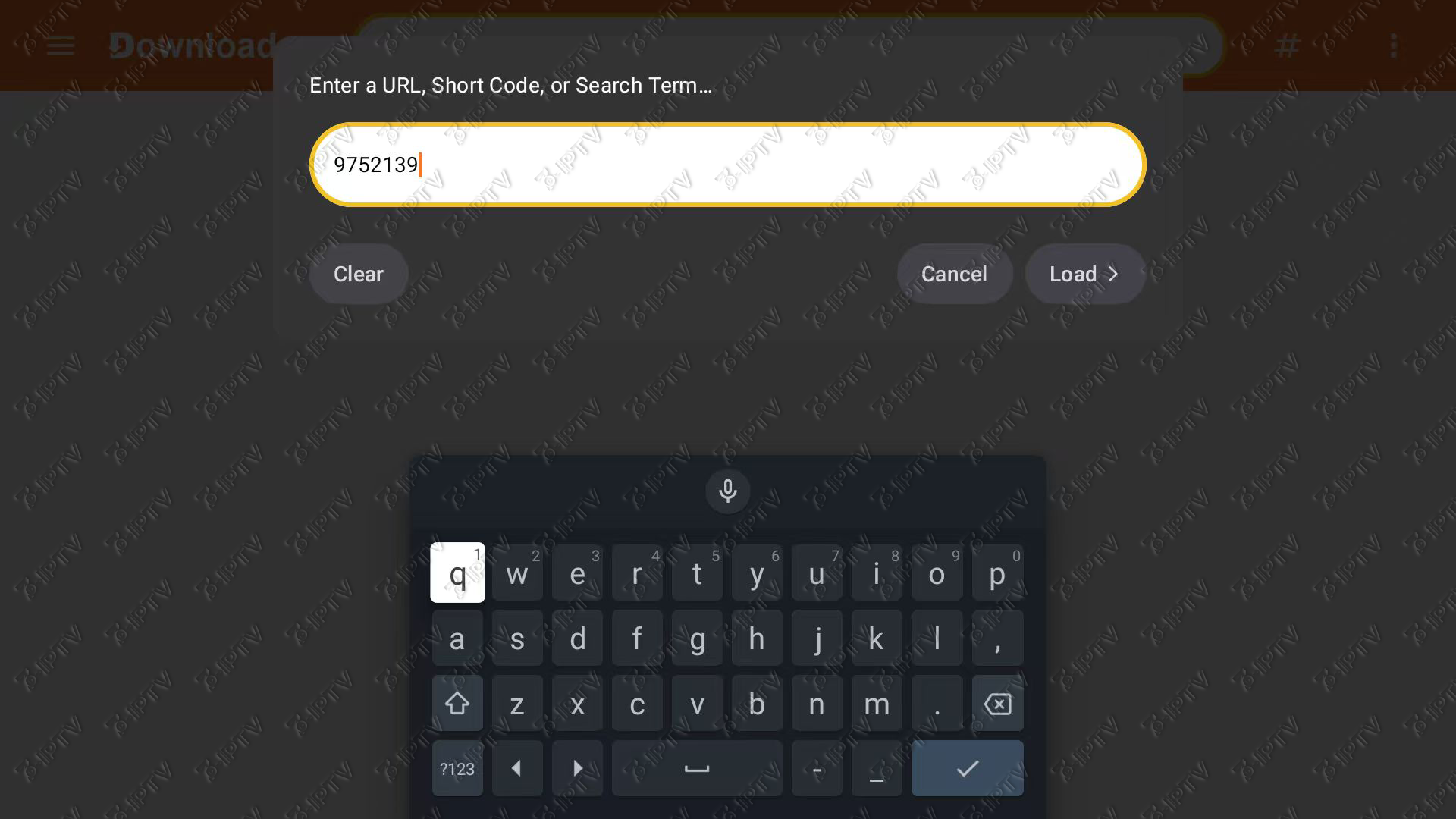
Enter Code
Open Downloader, enter code 9752139, and select Go. Wait for the 7 Player APK to download.
Wait for the file to download.
Install 7 Player
Select Install. If a security message appears, open Settings and allow Downloader to install unknown apps. Then return to Downloader and select Install again.
⚙️ Note: If a security popup appears, click Settings ➜ Turn ON for Downloader ➜ Press Back ➜ Click Install again.
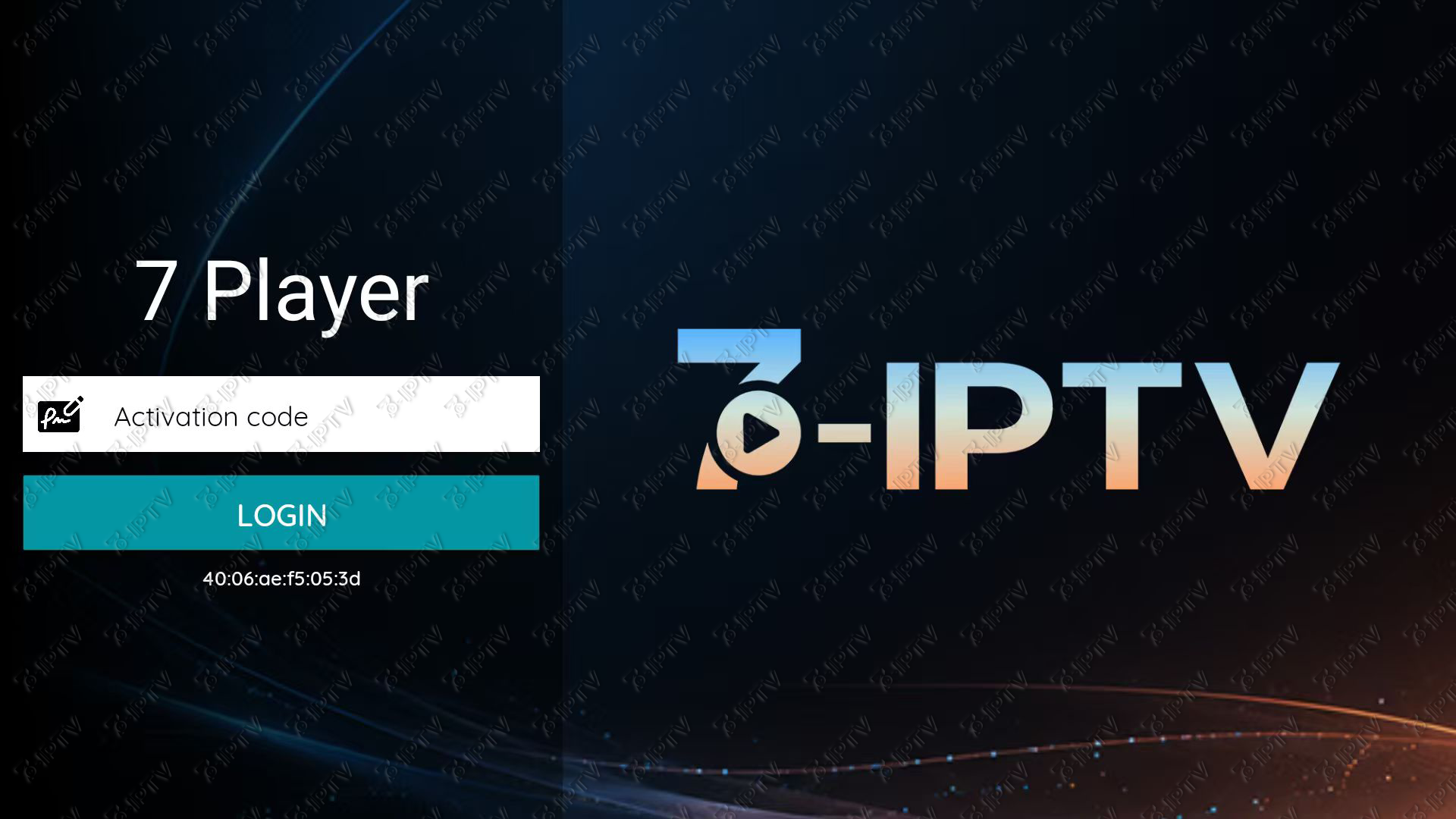
Enter Your Activation Code
Open 7 Player and enter the activation code from your account email when prompted. Wait for the app to finish loading.
7 Player Setup for Android Mobile
Compatible with most Android phones and tablets. No Downloader required—download the APK directly using your browser.
Download the 7 Player APK
Open Chrome or any browser on your device and tap the official download button below.
Install 7 Player
Open the downloaded APK file and select Install. If prompted, open Settings and allow your browser to install unknown apps. Then return and select Install again.
Enter Your Activation Code
Open 7 Player and enter the activation code from your account email when prompted. Wait for the app to finish loading.
Samsung, LG & Roku Setup
For Tizen, webOS, and Roku OS devices.
Choose a Paid Player
Open your device’s official app store and install a compatible paid player. This guide uses Ibo Player Pro as the recommended example.
- Ibo Player Pro (Recommended)
- HotPlayer — Samsung, LG and Roku.
- SmartOne IPTV — compatible Samsung and LG TVs.
View the Ibo Player Pro Guide
For step-by-step instructions, open the Ibo Player Pro setup and activation guide.
Apple / iOS Setup
For iPhone, iPad, and Apple TV.
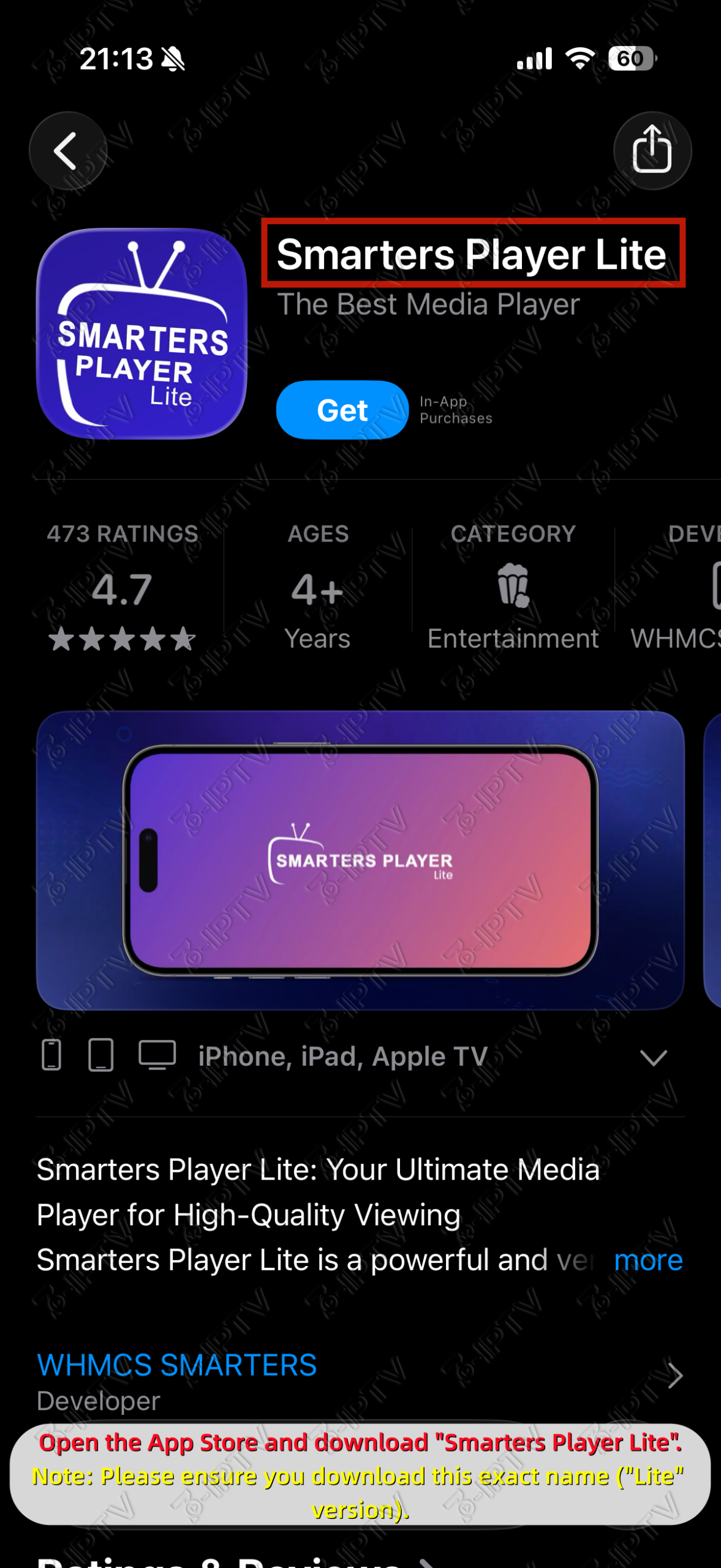
Download App
Go to the App Store and search for “Smarters Player Lite”.
Login
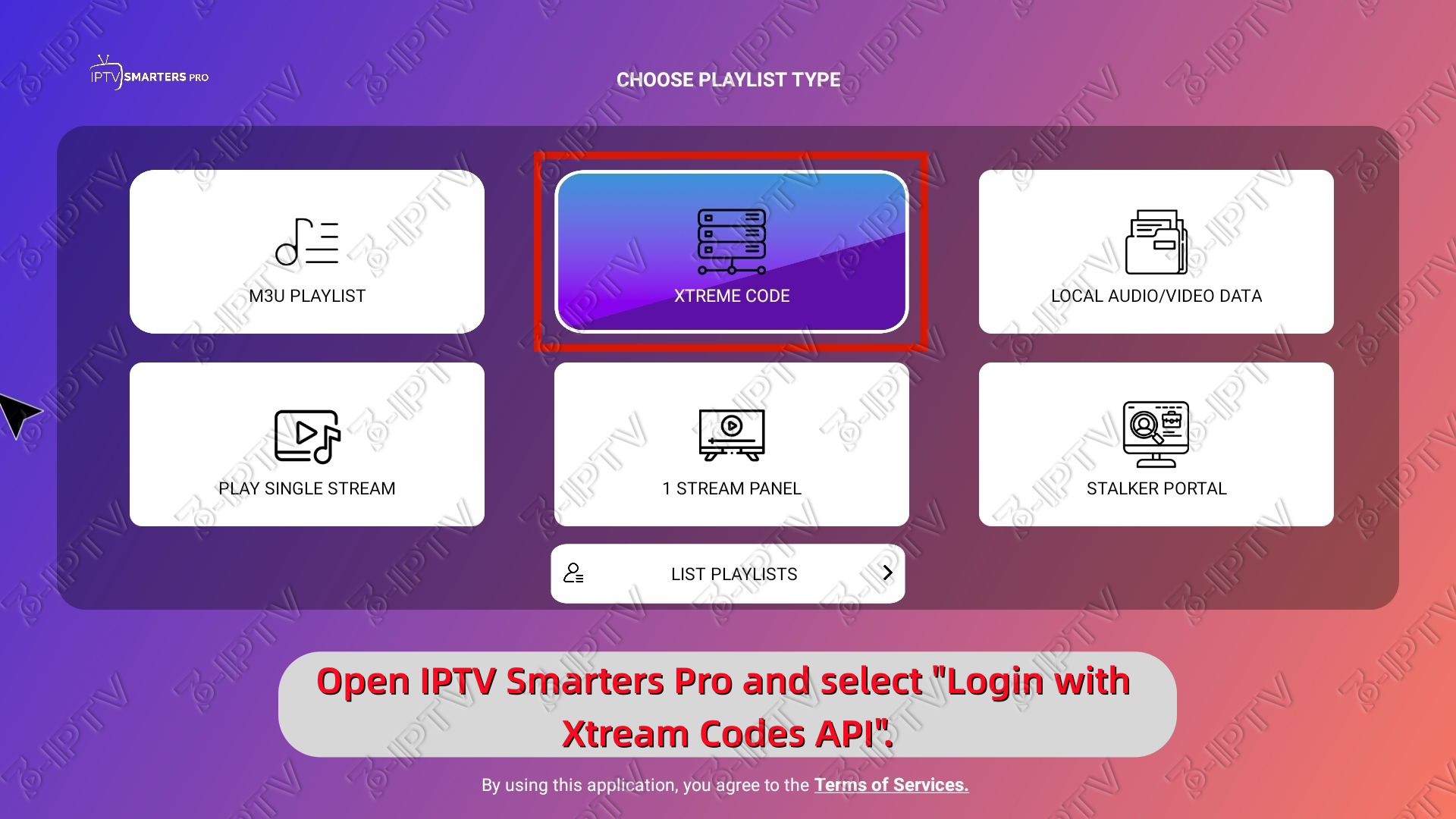
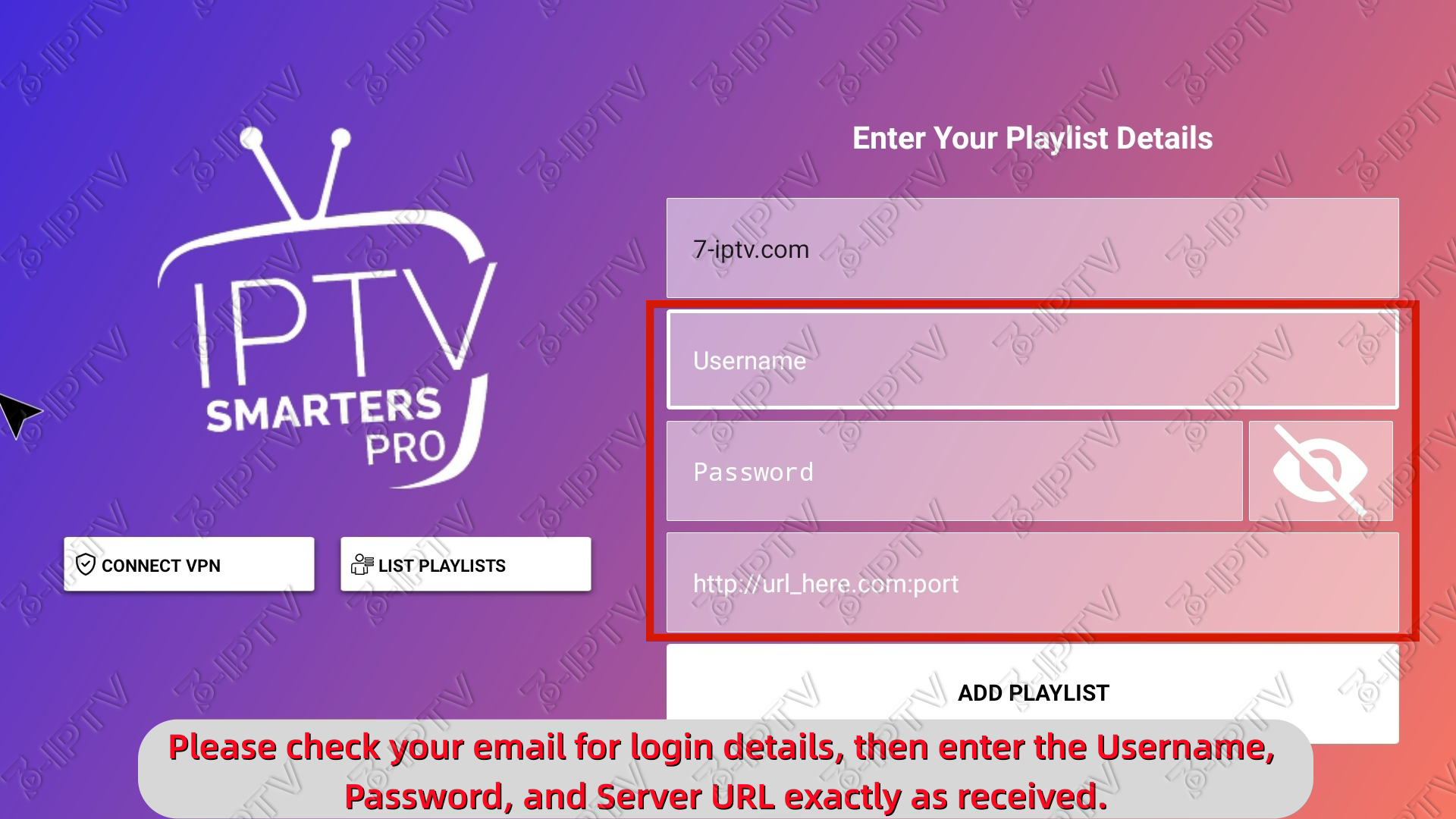
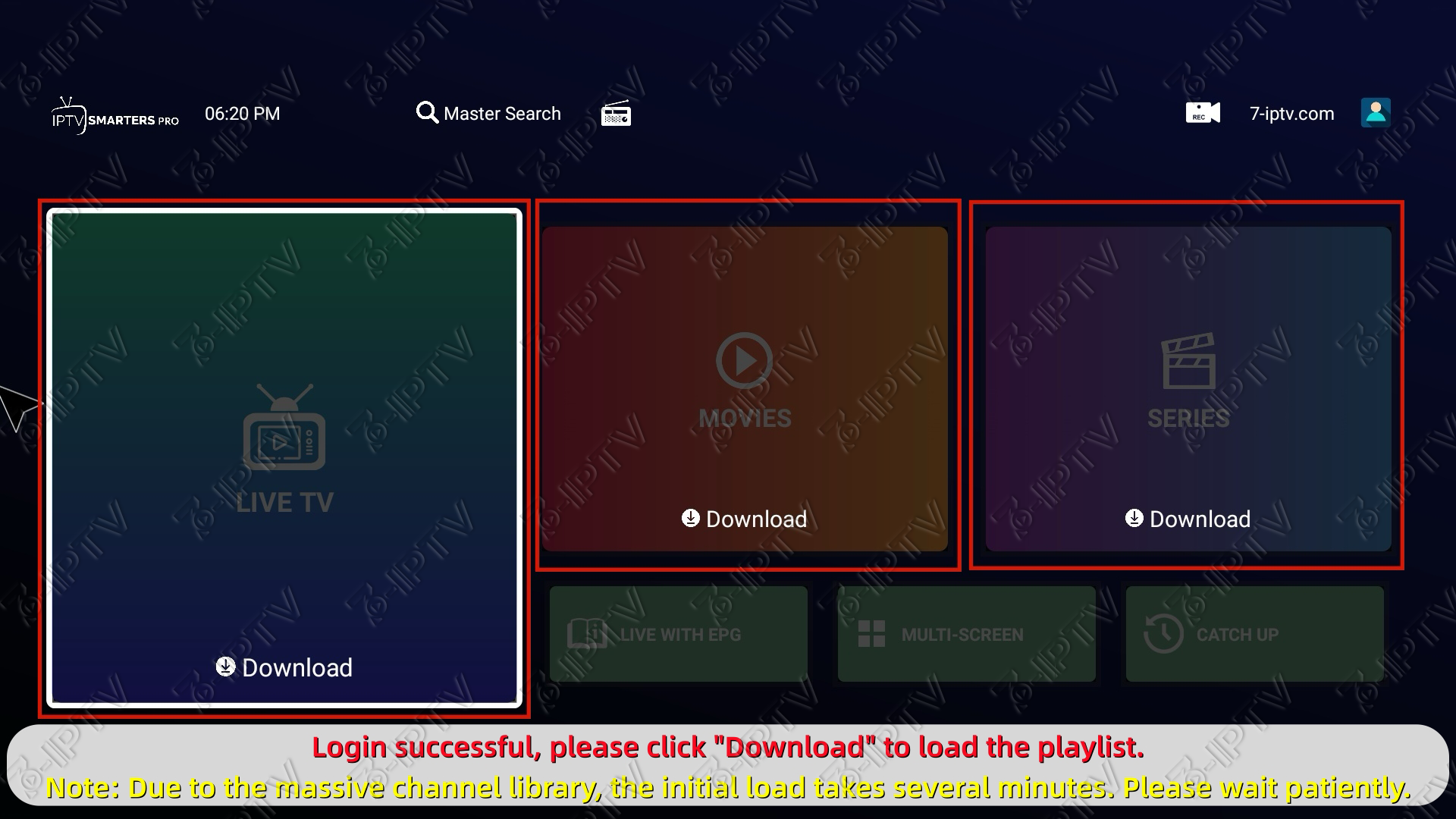
Open the app, select “Xtream Codes API”, and enter your login details.
PC & Mac Setup
Choose a desktop player for your Windows PC or Mac.
Choose and install a player
Ibo Player Pro (recommended). On Windows, use the Windows download on the official Ibo site. On Mac, the App Store version requires macOS 12 or later and an M1 chip or newer. It is designed for iPad, not verified for macOS. On an Intel Mac, choose an alternative below.
- Opus IPTV Player — Windows and Mac. Its optional Premium plan adds sync across more devices.
- Megacubo — Windows and Mac. Its optional Premium license adds recording and casting.
Add your playlist
Using Ibo? Follow our Ibo Player Pro setup and activation guide.
MAG / Portal Setup
For MAG and portal-based devices using a MAC address.
Send Your MAC Address
Contact us and provide your device’s MAC address.
Enter the Portal URL
Once your account is ready, enter the Portal URL we provide.
Reload the Portal
Save your settings and reload the portal or restart your device.
Ibo Player Pro Setup
For supported TVs, streaming devices, phones, tablets, and computers.
Find the Correct Download Method
Visit https://iboproapp.com/ for device-specific video tutorials. To avoid incorrect versions, do not search the Google Play Store directly; strictly follow the official methods. (Below is a setup example for Android/Fire TV).
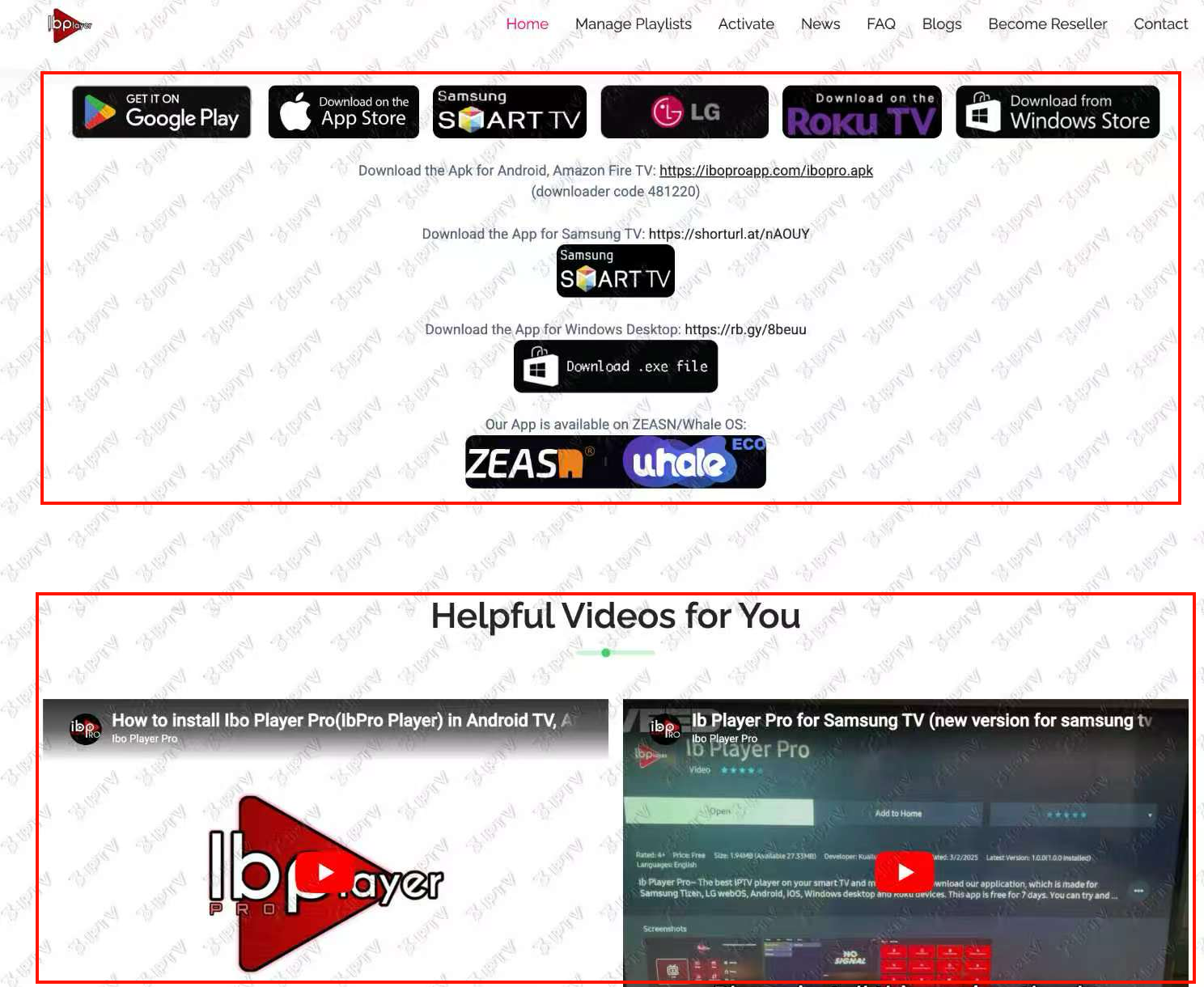
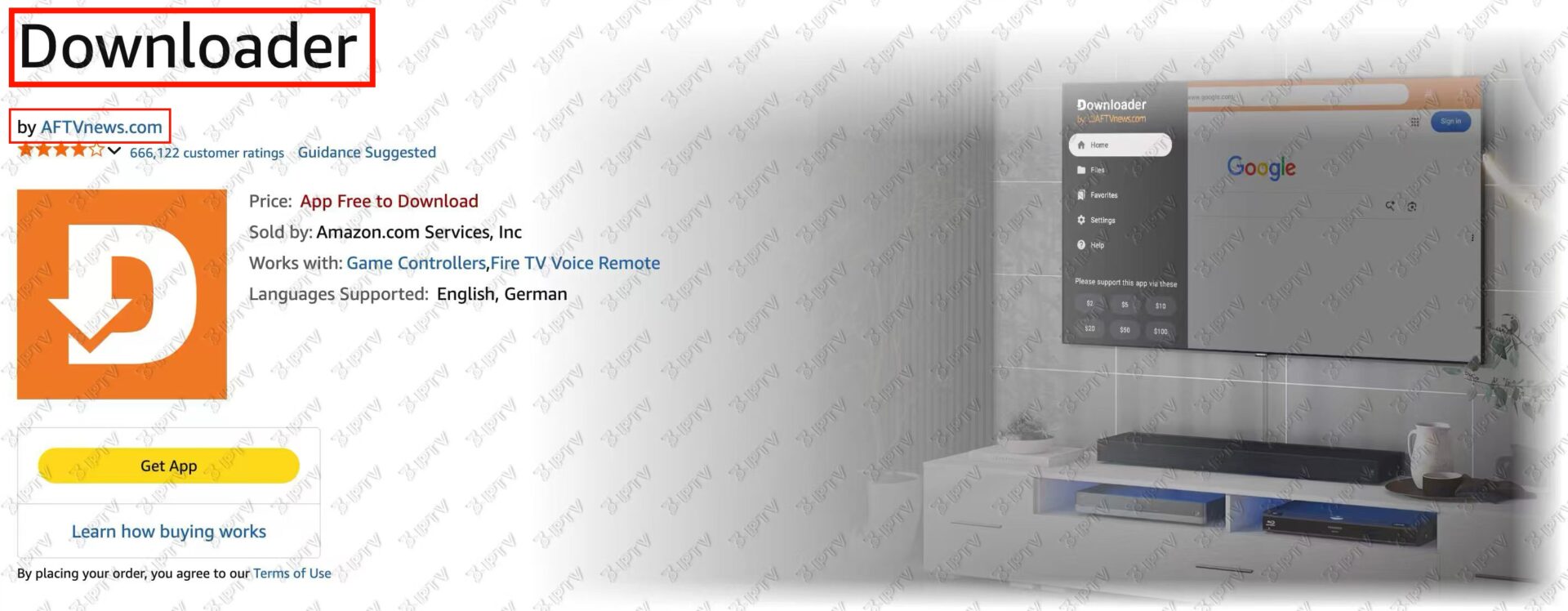
Get the Downloader App
Search for the “Downloader” app (orange logo) in your Google Play Store or Amazon Appstore, then install it.
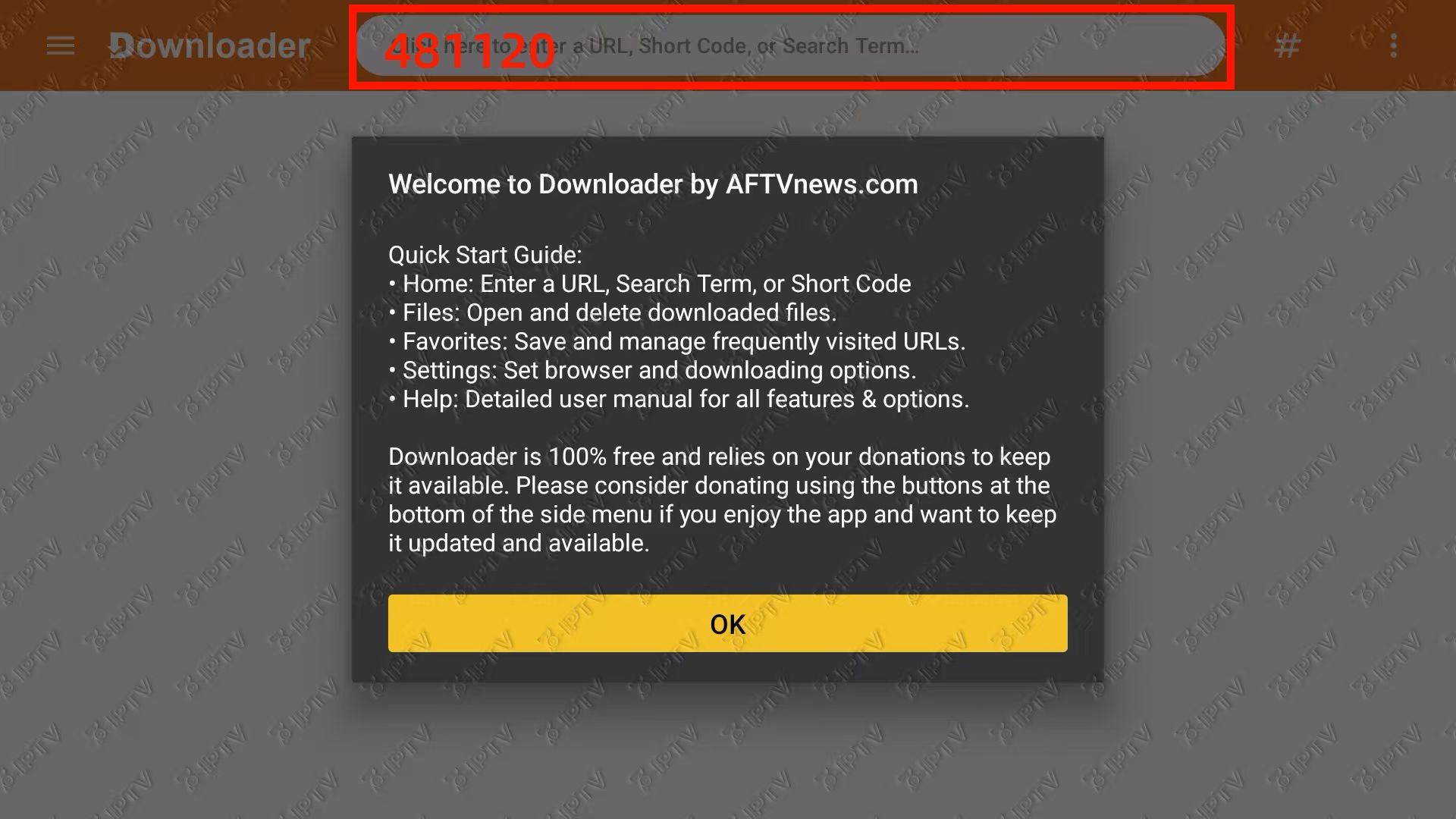
Enter the Download Code
Open the Downloader app, enter code 481220 in the URL box, and click Go. Wait for the file to download and install.
Wait for the file to download and click Install.
Add a playlist on your TV
Open Playlists in Ibo Player Pro. Use your TV remote to select + Add Playlist.
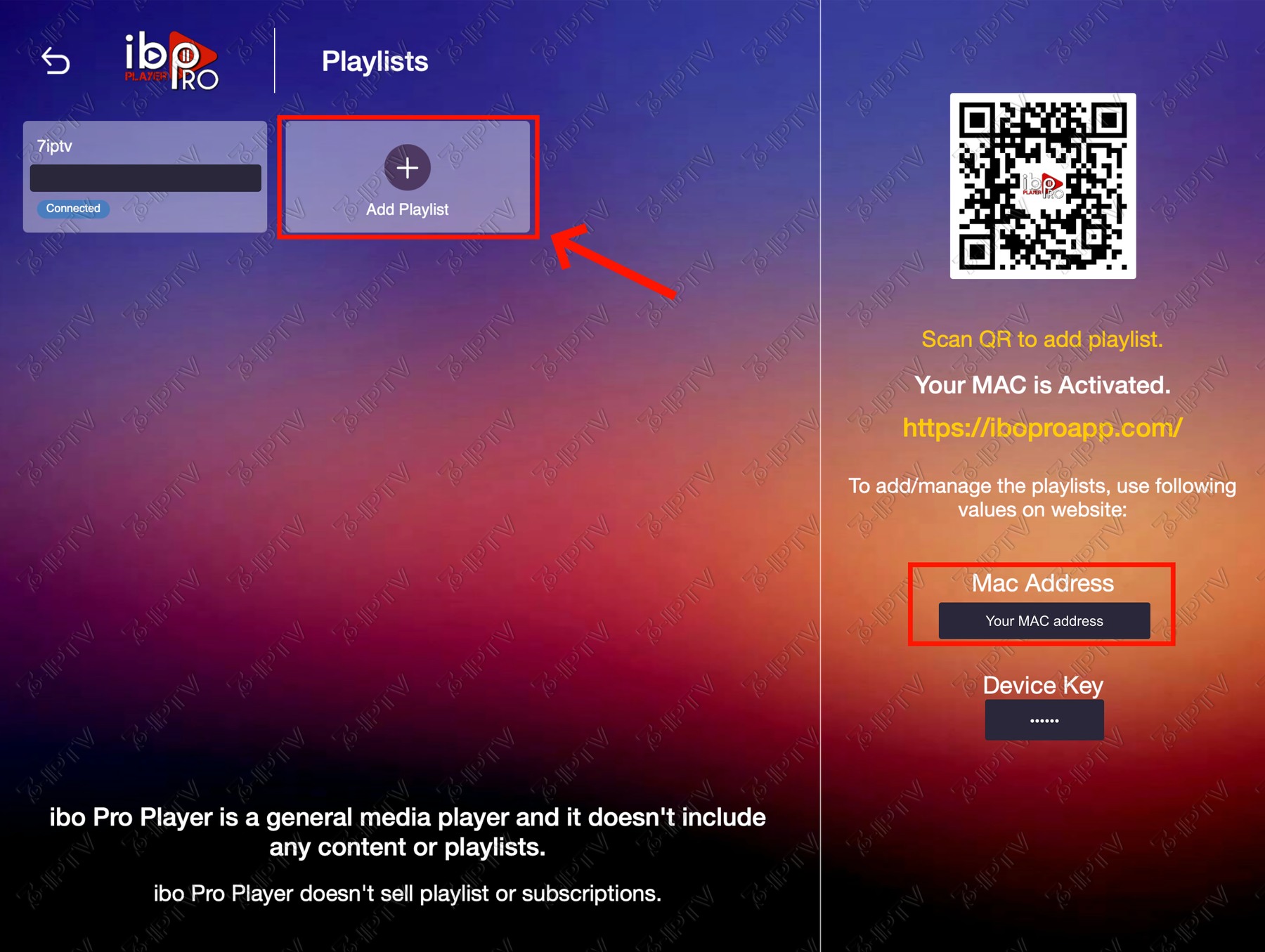
🎁 12-Month Plan Bonus: Your annual plan includes Ibo Player Pro activation at no extra cost. Send the MAC address shown on your TV and your order email address to our support team to activate your player.
Sign in on your TV
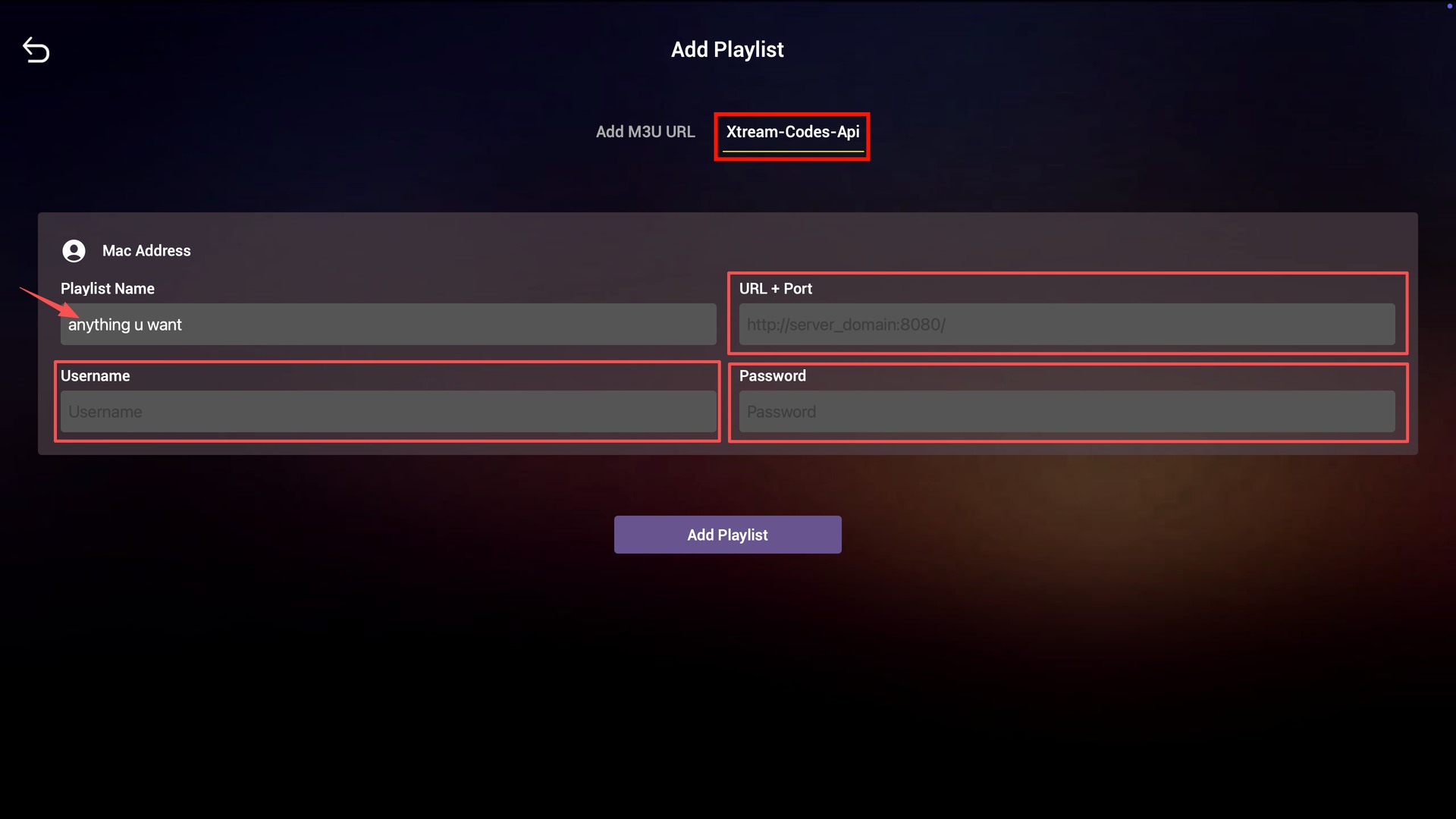
Select Xtream-Codes-Api at the top. Use your account email to fill in the fields below.
- Playlist Name: Choose any name you will recognize, such as Living Room TV.
- URL + Port: Enter the Main Server URL from your account email (labeled Server URL in trial emails).
- Username: Enter the subscription username from your email.
- Password: Enter the matching subscription password.
Select Add Playlist at the bottom to save.
Open your playlist and play a channel
Open the playlist you just named and select a channel. Once it plays, setup is complete.
Still Need Help?
If you’re having trouble setting up your device or have any questions, our support team is ready to assist you.
Contact Support